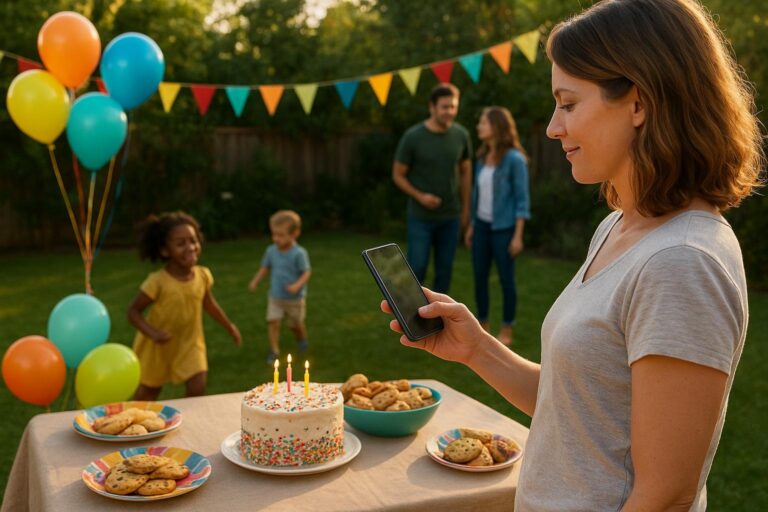
How to Build an Event Page Guests Actually Use
Planning a birthday, reunion, or milestone in 2026? Here’s a practical, host-tested guide to creating an event page that gets fast RSVPs, collects every photo, and turns memories into a polished keepsake—with less setup and more joy.

Date: July 11, 2026
Planning a kid’s birthday, a 40th, a family reunion, or a milestone dinner should feel exciting—not like spinning up spreadsheets, group texts, and a dozen apps. In 2026, the simplest way to keep everyone on the same page is to create one polished event page that guests actually use. This guide shows you how to build that page—fast RSVPs, private photo sharing, and an online guestbook included—using Moments by Dayzy.
What a modern event page must do in 2026
People will happily respond when your event page removes friction and answers real questions. Whether you’re hosting a backyard birthday or coordinating grandparents flying in for a graduation, look for an event page builder that offers:
- Instant RSVPs that work from any phone without an app download.
- Smart reminders so you’re not chasing replies.
- Private photo sharing where guests can upload during and after the party.
- An online guestbook for love notes, toasts, and messages you’ll want to keep.
- Co-hosting so a spouse, sibling, or friend can help manage details.
- Accessible invites via link, QR code, email, or text.
- Templates tuned for birthdays, showers, reunions, and more.
- Mobile-first design because most guests will open on their phones.
Meet Moments: one place for RSVPs, photos, guestbook, and invites
Moments by Dayzy is built for real-life gatherings. Create a shareable link for your birthday RSVP page, customize details, and turn on photo sharing for events and an online guestbook—all in a few clicks. Families love it because it covers the whole arc of a celebration: the plan, the party, and the memories.
Step-by-step: Build your event page in under 15 minutes
1) Choose a template that matches your moment
Start with a design that fits the vibe—playful for a 5th birthday, elegant for a 60th, cozy for a potluck, or bright for a graduation open house. Templates set your look, spacing, and sections, so you skip from-scratch choices. If you’re pressed for time, this alone shaves minutes off setup.
- Birthday: Add age, theme, timing, and a quick schedule (cake, games, pickups).
- Baby shower: Include registry links and a note on gifts or books-only.
- Reunion: Pin travel notes, lodging suggestions, and a casual itinerary.
- Graduation: Share parking, venue map, and a cap-and-gown photo area.
2) Add the essentials guests ask about
Clarity beats cleverness. On your event page, answer these upfront:
- When and where: Show local time, address, parking/entry notes, and a clickable map.
- Who’s invited: If it’s a drop-off party or adults-only dinner, say so simply.
- Food and allergies: A short line like “Pizza + fruit; peanut-free” helps parents.
- Schedule highlights: “Cake at 3:30,” “Group photo at 6,” “Toasts at 7.”
- Gifting: “No gifts please,” “Cards welcome,” or link a registry/charity.
3) Turn on RSVPs with helpful questions
Your party planning app should let you collect details you actually need. With Moments, add RSVP prompts such as:
- Number of guests in your party.
- Plus-one name (if applicable) to avoid day-of surprises.
- Dietary notes or accessibility needs.
- Preferred contact for last-minute updates.
Pro tip: Keep it short. Two or three targeted questions get more replies than a lengthy form.
4) Make photos easy and private
Set your event to accept uploads from guests with one tap. A clear call-to-action like “Add your photos” turns a trickle into an album. During the party, display a QR code at the snack table or near the entrance; after, keep the page open a week so late uploads still make it in.
- Before: Post last year’s highlight reel on the page to inspire uploads.
- During: QR code table tents and a quick MC shout-out nudge guests to contribute.
- After: Send a one-liner reminder: “Add your best photo by Tuesday—thank you!”
5) Collect messages in an online guestbook
Moments includes a guestbook where friends and family can leave notes, toasts, and well-wishes. It becomes a keepsake you can revisit anytime—especially meaningful for milestone birthdays, retirements, or reunions where not everyone can attend.
6) Share your invitation link the way your people communicate
Every family and friend group has a favorite channel. Send your Moments link by text, drop it in a class parent thread, email grandparents, or print the QR code on paper invites. Guests don’t need to download anything—just tap, read, and RSVP.
7) Automate the boring parts: reminders and updates
Moments can nudge guests who haven’t replied, send day-before reminders, and post last-minute changes (weather plan, gate code, “bring lawn chairs”). You’ll spend less time chasing RSVPs and more time choosing the perfect cake topper.
Real-life setups for different hosts
Parents: a kid’s birthday with clear timing and allergy notes
Scenario: You’re planning a 6th birthday at a local park. You want fast RSVPs, a headcount for pizza, and a way to collect photos without making a group text explode.
- Pick a bright birthday template in Moments.
- Add park location, a rain plan (covered pavilion), and “pizza + fruit + cupcakes (nut-free).”
- RSVP questions: child’s name, headcount, any allergies.
- Turn on photo sharing; print a QR code sign for the cake table.
- Schedule: crafts at 2:15, cake at 3:30, pickup at 4.
Result: You get clean RSVPs by Thursday, everyone sees the pickup time, and your gallery fills with candid frosting faces.
Friends: a milestone birthday dinner with plus-ones
Scenario: You’re hosting a 40th at your favorite bistro. You need clarity on plus-ones and a low-key guestbook for toasts.
- Choose an elegant template and add the prix fixe menu.
- RSVP questions: attending y/n, plus-one name, food preference.
- Enable guestbook so friends can leave toasts before dessert.
- Share via text; send a day-before reminder with parking tips.
Result: The restaurant gets a final headcount on time and you collect heartfelt notes in one place.
Families: a reunion with travel details and photo nostalgia
Scenario: Cousins are visiting from multiple states. You need a single hub for travel notes, the potluck sign-up, and a giant shared photo album.
- Use a reunion template with a simple weekend timeline.
- Pin hotel suggestions and “bring a dish” guidance.
- Turn on photo sharing and guestbook; ask for one favorite family memory.
- After the event, keep the page open for late uploads and thank-yous.
Result: The page becomes both the plan and the keepsake you’ll revisit before the next reunion.
Neighbors or groups: a block party with sign-ups
Scenario: You’re organizing a summer block party. You need RSVPs, dish categories, and a place to share photos for the neighborhood newsletter.
- Pick a bold seasonal template and add street-closure details.
- RSVP questions: headcount, dish category, volunteer role (setup, grill, cleanup).
- Enable photo sharing; print QR tents for each table.
Result: Everyone brings what’s needed, the grill has coverage, and the block’s best moments live in one album.
Design choices that boost real RSVPs
Make it easy for a sleepy parent at 10 p.m. or a busy friend on the train to say “Yes!”
- Put the RSVP button high on the page—above the fold on mobile, with a second button at the end.
- Use plain-language headlines like “Join us for cake and games!” not just a date and an address.
- Answer one-liners: parking, rain plan, kid drop-off rules, and dress code in short bullets.
- Limit RSVP fields to what you’ll use on party day.
- Show social proof softly: “28 friends are going” can nudge replies.
Privacy and control: setting the right boundaries
For family events, privacy matters. Moments lets you keep your page private, limit uploads to guests, and hide last names in galleries. You control who can view, comment, or contribute. Prefer no photos? Turn off uploads and keep the guestbook open for messages only.
After the party: turn everything into a keepsake
Once the confetti settles, your Moments page becomes a living album: confirmed guest list, candid photos, and every message in your online guestbook. You can share the link with relatives who couldn’t make it and update the cover photo with one favorite image—chef’s kiss.
Why families choose Moments over point solutions
- One link, all the essentials: invitations, RSVPs, photos, guestbook, and updates.
- Fewer apps: no jumping between a design tool, a form app, and a shared drive.
- Templates for real life: birthdays, showers, milestones, reunions.
- Fast to set up: create a birthday RSVP page in minutes.
Launch your event page today
Ready to host with less setup and more joy? Explore templates, choose a look, and publish your link. Your guests will know exactly what to do: tap RSVP, show up, make memories, and add photos to your shared album.
Suggested next steps
- Browse templates to match your theme and tone.
- Create your page with date, address, and a clear RSVP button.
- Turn on photo sharing and guestbook so nothing gets lost in group chats.
- Share your link by text and email; print a QR for the party.
Quick-start checklists
Kids’ birthday checklist (park party)
- Rain plan and pavilion number
- Allergy note and snack list
- RSVP questions: headcount + child’s name
- QR code near the cake for photo uploads
- Pickup window listed clearly
Milestone dinner checklist (restaurant)
- Dress code and parking tips
- RSVP questions: plus-one name, menu preference
- Guestbook open for toasts
- Reminder 24 hours before with start time and location pin
Family reunion checklist (weekend)
- Travel + lodging block
- Potluck sign-up guidance
- Photo sharing enabled; after-party upload reminder
- “Share a favorite family memory” prompt in guestbook
FAQ
Do guests need an app to RSVP or add photos?
No—your Moments link opens in any browser. Guests can RSVP and upload photos with a couple of taps.
Can I keep my event private?
Yes. You can keep pages unlisted, share only with invited guests, and limit who can view or upload photos.
What if I only need a simple birthday RSVP page?
Great—start simple. Use a birthday template, add the essentials, and turn on photo sharing and guestbook later if you want.
Can co-hosts help me manage RSVPs and updates?
Yes, invite a co-host to post updates, message guests, or manage photo moderation so you’re never doing it alone.
How does the online guestbook work?
Guests leave short notes, toasts, or advice before, during, or after the event. You’ll have a tidy keepsake alongside your photos.
Plan with confidence
In 2026, the best party planning is about clarity, connection, and keeping memories together. Moments brings your invites, RSVPs, guestbook, and photos into one calm, friendly space—so you can focus on what matters: the people you love and the moments you’re celebrating.
Start your page in minutes
Create your event page today and see how simple planning can be.
Build your event page today
Create a shareable link for RSVPs, photo sharing, and a keepsake guestbook—no app required.
Frequently Asked Questions
What makes Moments different from a standard invite or form?
Moments combines invitations, RSVP collection, private photo sharing, and an online guestbook into one link, so guests don’t bounce between apps or lose details in group chats.
Can I customize RSVP questions for allergies, plus-ones, or headcount?
Yes. Add the specific fields you need for your event—dietary notes, number of attendees, plus-one name, or accessibility needs—so you get clean, useful answers.
How do I encourage guests to upload photos?
Place a QR code at check-in or near the cake table, make a brief announcement, and send a friendly follow-up reminder after the party. Moments collects everything in one album.
Is the guestbook optional?
Absolutely. Use it for milestone messages, toasts, or travel wishes—or turn it off if you prefer a photos-only page.
Will my page look good on phones?
Yes. Moments templates are mobile-first, so RSVP buttons, maps, and upload prompts are easy to use from any device.