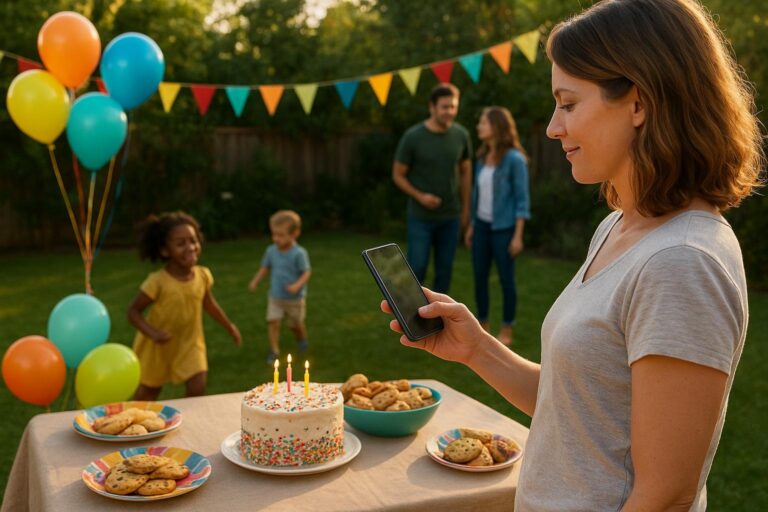
Event Timeline and Memories for Real Gatherings
A practical guide to creating an event timeline and memories page that keeps guests informed, collects RSVPs, gathers photos, and preserves the heart of a gathering.

A meaningful gathering does not begin when the first guest walks through the door, and it does not really end when the chairs are folded. There is the invitation, the anticipation, the small reminders, the arrival questions, the funny photos, the notes from people who could not attend, and the quiet moment later when someone wants to relive it all. That is why an event timeline and memories approach is so useful for birthdays, family milestones, showers, reunions, team celebrations, and everyday gatherings that still matter.
Most hosts are not trying to build a formal event production. They are trying to help people show up, feel included, know what to do, and remember the good parts. The problem is that those pieces often live in too many places. The invitation is in one text thread. The RSVP count is in someone’s notes app. The address is buried in an email. Photos are scattered across phones. Sweet guest messages get lost between “what time should we come?” and “do you need ice?” A simple event page brings the story together so the planning and the memories feel connected.
Moments was made for exactly that kind of real-life hosting. With event pages, RSVPs, guestbooks, photo sharing, invitations, and polished milestone pages, it gives parents, families, friends, and groups one place to gather the details and the feeling. You can start at https://moments.mydayzy.com/ when you want a calmer way to plan the next celebration without turning it into a project.
Why an event timeline makes memories easier
When people hear the word timeline, they may picture a minute-by-minute run of show. That can be helpful for a wedding or fundraiser, but for most family and friend gatherings, the better use is simpler: a timeline gives the event a clear beginning, middle, and afterglow. It helps guests understand what is happening now and gives everyone a place to return later.
Think about a first birthday party. Before the party, the timeline can hold the invitation, RSVP request, gift note, parking instructions, and a little message from the parents. During the party, it can point guests toward the cake time, photo moment, or guestbook prompt. After the party, it can become a family milestone photo collection with pictures from grandparents, cousins, neighbors, and friends who saw the child from different angles all day.
The same idea works for a graduation brunch, a retirement dinner, a baby shower, a team banquet, a memorial picnic, or a 40th birthday weekend. A timeline gives shape to the gathering. Memories give it heart. Together, they turn an event page from a practical notice board into something people actually want to open again.
What guests really need before the gathering
The best event pages are not overloaded. Guests usually need a few clear answers: who is invited, when to arrive, where to go, what to bring, how to RSVP, and how to reach the host if something changes. If those answers are easy to find, the host gets fewer repeat questions and guests feel more confident.
Before you add creative touches, build the practical foundation. A simple event page for guests should answer the obvious questions without making anyone scroll through a long story. That does not mean the page has to feel plain. It just means the useful details should come first.
- Event name: Make it recognizable, such as “Maya’s 10th Birthday Picnic” or “The Johnson Family Reunion.”
- Date and time: Include start time, expected end time, and any key moment like cake, speeches, or group photos.
- Location: Add the address, entry instructions, parking notes, and weather backup if needed.
- RSVP request: Tell guests when you need a response and whether they should include extra adults, kids, or dietary needs.
- Host note: Add one warm paragraph that explains the tone of the event and what you are excited to celebrate.
- Photo and guestbook instructions: Let people know they will be able to add pictures, wishes, or memories in the same place.
This kind of structure is especially helpful for mixed-age guest lists. Grandparents may want the address and time. Parents of young kids may need food and parking details. Friends may want to know the vibe. Out-of-town relatives may want to follow along even if they cannot attend. A clear page makes everyone feel considered.
How to build an event timeline and memories page
You do not need to document every hour. A strong event timeline and memories page usually has a few thoughtful stages: before the event, during the event, and after the event. Each stage has a purpose. Before is for clarity. During is for participation. After is for reflection.
Stage one: before the event
Before the gathering, use the page to set expectations and reduce back-and-forth. This is where you send the invitation, collect RSVPs, and explain what guests should know. If you are planning a milestone, this is also the right time to introduce the emotional thread. You might write, “We are gathering to celebrate Sam’s first year, and we would love everyone to add one photo or note that captures this season.”
For a graduation party, you might invite guests to add advice for the graduate. For a retirement dinner, you might ask coworkers and family to share a favorite story. For a birthday, you might ask each person to bring or upload one old photo. These small prompts make it easier to create a milestone page that feels personal instead of generic.
Stage two: during the event
During the gathering, the page should be easy to access and easy to contribute to. Hosts can share the link in advance, place it in a printed sign, or send a quick reminder in the morning. The goal is not to make guests stare at their phones. The goal is to give them one simple place to add the photos and notes they are already capturing.
At a backyard birthday, guests might upload pictures of the candle moment, the cousins running through sprinklers, or the grandparents laughing at a table. At a shower, people might leave short wishes for the new parents. At a family reunion, different branches of the family can add group photos so one person is not responsible for collecting everything afterward.
Stage three: after the event
After the gathering, the page becomes more than a planning tool. It becomes the place where the event settles into memory. This is when guests who took photos on the way home can add them. It is when the host can post a thank-you note. It is when relatives who missed the event can look through the guestbook and feel included.
The after-event stage is often where people feel the biggest difference. Instead of texting “send me your pictures” to ten people, the host can point everyone back to the same page. Instead of losing sweet messages in separate chats, the guestbook stays connected to the event. Instead of letting a milestone disappear into camera rolls, the photos and notes live together.
Examples for real-life gatherings
A good event page should flex around the kind of gathering you are hosting. The structure may be similar, but the tone and prompts should feel specific. Here are a few ways families, friends, and groups can use an event timeline and memories page without overcomplicating the plan.
A child’s birthday party
Parents can use the page for arrival time, allergy notes, parking, RSVP tracking, and gift guidance. The memory prompt can be simple: “Upload your favorite photo from the party or leave one birthday wish.” Afterward, the page becomes a sweet collection of cake photos, friend snapshots, and family notes that the child can look back on later.
A milestone anniversary or retirement
For an anniversary dinner or retirement lunch, the page can do more than manage guests. It can collect stories across decades. Ask attendees to share a photo from a favorite trip, workplace memory, family moment, or friendship chapter. This creates a richer guestbook because people are responding to a specific invitation, not a blank box.
A graduation celebration
Graduations involve many circles: classmates, extended family, neighbors, coaches, teachers, and family friends. A private party communication page can keep event details organized while also gathering advice, congratulations, and candid photos. The timeline might include ceremony details, party time, a group photo moment, and a final thank-you note from the graduate or family.
A family reunion
Reunions are perfect for timeline-based memories because the guest list often spans generations and locations. The page can include the schedule, meal signups if needed, family photo timing, and prompts like “add a photo of your household” or “share a memory of a past reunion.” Over time, that page can become part of a larger family archive.
A memorial gathering or celebration of life
For more tender occasions, simplicity matters. A page can share service or gathering details, give guests a place to RSVP, and invite memories from those who knew the person in different seasons of life. Not everyone is comfortable speaking aloud, so a guestbook can offer a quieter way to contribute a story, photo, or note.
Planning without relying on social media
Social platforms can be useful, but they are not always the right home for a meaningful gathering. Some guests are not active on the same apps. Some families do not want children’s photos posted broadly. Some hosts do not want the event mixed into public feeds, comments, ads, and unrelated updates. That is why many people now look for event planning without social media.
A dedicated event page gives the gathering its own space. The host can share details directly with invited people, keep the tone focused, and avoid asking guests to join a group or download another app just to find the address. For family events, that separation can feel especially important. A baby shower, milestone birthday, or memorial deserves a calmer place than a crowded feed.
This does not mean every event has to be secret or formal. It simply means the host gets to choose the container. A Moments page can be shared with the people who need it, used for RSVPs and updates, and revisited later for photos and guestbook messages. The celebration stays centered on the people in the room.
How to invite better memory sharing
Most guests are happy to contribute, but they need a clear and comfortable ask. “Upload photos” is fine, but “add one photo that made you smile today” is better. “Sign the guestbook” works, but “leave one wish for the next chapter” gives people a starting point. The more specific the prompt, the better the memories.
Try prompts that match the event:
- Birthday: “Share a photo from today or one thing you love about the birthday person.”
- Baby shower: “Leave a note the parents can read during a late-night feeding.”
- Graduation: “Add one piece of advice for the road ahead.”
- Retirement: “Share a story from a project, trip, meeting, or ordinary day you still remember.”
- Reunion: “Upload a family photo and label who is in it for future cousins.”
- Memorial: “Share a moment that captures their kindness, humor, courage, or care.”
You can also ask for different types of memories at different points in the event timeline. Before the party, ask for old photos. During the party, ask for candid shots. After the party, ask for reflections. This keeps contributions from feeling like one more task and helps the collection tell a fuller story.
Templates help when you do not want to start from scratch
One reason hosts delay making an event page is that they do not know what to write. Templates solve that problem by giving you a starting structure. You can choose a format that matches the gathering, then personalize the language, details, and prompts. If you are planning quickly, browse https://moments.mydayzy.com/templates/ to find a starting point that fits the occasion.
Templates are especially helpful for repeat family events. Once you understand the structure that works for a birthday, reunion, or team celebration, you can reuse the pattern: invitation, RSVP, key details, guestbook prompt, photo sharing, thank-you note. The page still feels personal because the memories come from the people attending, not from the layout.
A simple setup plan for busy hosts
If you are the person planning between school pickups, work meetings, grocery runs, and family texts, keep the setup small. You do not need to perfect every detail on day one. Create the page, add the essentials, and improve it as the event gets closer.
- Name the moment. Choose a title that guests will instantly recognize.
- Add the must-know details. Date, time, location, RSVP request, and host contact guidance come first.
- Write one warm welcome note. Explain why you are gathering and what kind of mood guests can expect.
- Add one memory prompt. Ask for a photo, wish, story, or piece of advice that fits the event.
- Share the page. Send it to guests through the channel they already use, then rely on the page as the source of truth.
- Update when needed. If parking changes or rain moves the party indoors, update the page instead of rewriting the same message repeatedly.
- Return after the event. Add a thank-you note and remind guests to contribute any photos still sitting on their phones.
This approach keeps the page useful without turning it into a big creative assignment. The host sets the frame. Guests help fill in the story.
Common mistakes to avoid
The most common mistake is trying to make the page do too much. If guests have to read ten sections before they find the time and address, the page is working too hard. Lead with clarity, then add warmth. Another mistake is waiting until after the event to ask for photos. People are more likely to contribute when they know in advance where the memories should go.
It also helps to avoid vague guestbook prompts. A blank guestbook can feel intimidating, especially for people who want to write something meaningful. Give them an easy path. A funny memory, one sentence of advice, a favorite photo, or a simple wish is enough. The goal is not perfect writing. The goal is participation.
Finally, do not assume one person has all the best photos. The host often misses the small moments because they are greeting guests, refilling food, solving problems, or helping kids. Guest photos capture the event from many corners of the room. That is what makes a shared memory collection feel alive.
When a moment deserves one home
There will always be a place for quick texts and casual snapshots. But some gatherings deserve a little more shape. A first birthday, a graduation, a reunion, a retirement, a shower, a celebration of life, or even a small dinner for someone who needs encouragement can become more meaningful when the details and memories have one home.
With Moments, you can create the event page, invite guests, manage RSVPs, collect guestbook notes, and gather photos without stitching together five different tools. You can keep the setup simple and still make the result feel polished. If you are ready to create your next event timeline and memories page, start at https://moments.mydayzy.com/sign-up/ and build the kind of gathering people can follow now and remember later.
Give your next gathering one beautiful home
Build a polished event page for RSVPs, details, guestbook notes, and shared photos so your gathering is easier to plan and easier to remember.
Frequently Asked Questions
What is an event timeline and memories page?
It is a single event page that helps guests understand what is happening, respond to invitations, share notes, add photos, and revisit the story of the gathering before, during, and after the event.
Can I use Moments for birthdays and family milestones?
Yes. Moments is designed for birthdays, milestones, reunions, showers, school celebrations, neighborhood gatherings, and other real-life events where hosts want simple details, RSVPs, guestbooks, and photo sharing in one polished place.
Is this different from posting event photos on social media?
Yes. A Moments page gives guests a focused place for event details and memories without requiring a public social post, a messy group chat, or a platform where the celebration competes with everyone else’s feed.
What should I include on an event timeline?
Include the invitation, RSVP deadline, arrival details, important schedule moments, guestbook prompts, photo sharing instructions, thank-you notes, and any follow-up details guests may need after the gathering.
How do I get guests to add memories?
Ask for small, specific contributions. Prompts like “share your favorite photo from today,” “leave one wish for the birthday kid,” or “add a memory from when you first met” are easier for guests than a vague request to upload everything.