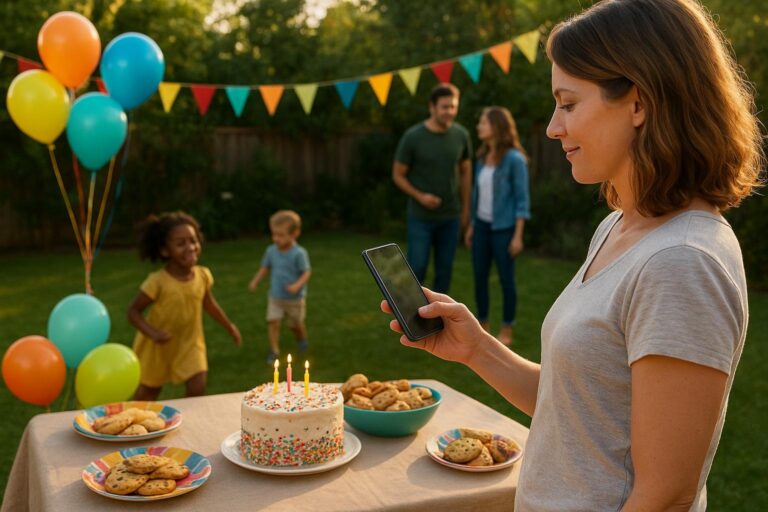
Party Invitation and Photo Sharing Made Simple
A practical guide to using one event page for invitations, RSVPs, guest updates, guestbook notes, and shared party photos.

Why hosts want one place for the whole celebration
A good party invitation does more than tell people where to go. It sets the tone, answers the little questions, helps guests respond, and gives everyone a shared place to return when the day becomes a memory. That is why more hosts are looking for party invitation and photo sharing together instead of treating them like two separate tasks.
Think about the average family birthday, graduation dinner, baby shower, retirement party, or neighborhood milestone. The host sends a cute invite. A few people reply by text. Someone asks about parking in a separate thread. Another person sends gift questions to a sibling. Photos are later scattered across camera rolls, family group chats, and maybe a social post that not everyone can access. None of this is a disaster, but it adds friction to a day that should feel warm and easy.
Moments is built for the full arc of a gathering: the invitation, the RSVP, the shared details, the guestbook, the photos, and the keepsake feeling afterward. Instead of creating one thing before the party and another thing after it, hosts can make a polished page that works before, during, and after the event.
What people really need from a modern party page
Most hosts do not wake up wanting more software. They want fewer loose ends. They want to invite people beautifully, get a reliable headcount, avoid repeating the same answers, and preserve the parts of the day they know they will care about later.
That means a useful party page should do four jobs at once:
- Invite clearly: the date, time, place, host note, theme, and any details guests need before they decide.
- Collect responses: who is coming, who cannot make it, and any helpful notes from guests.
- Communicate privately: updates, reminders, schedule changes, parking notes, dress code, food information, or rain plans.
- Save the memory: guestbook messages and photos from the people who were actually there.
Design still matters. A page should look thoughtful, especially for a first birthday, a 50th anniversary, a graduation party, or a memorial-adjacent family gathering where tone matters. But design alone is not enough. The gap many hosts feel is the space between a pretty invitation and the real-life work of hosting.
The hidden problem with separating invitations from photos
When the invitation lives in one place and the photos live somewhere else, guests need extra instructions. They may miss the photo link. They may send pictures only to the person they know best. They may assume someone else is collecting everything. By the time the host asks for photos the next day, the best candid shots are already buried under errands, work messages, and school reminders.
Combining the invitation and the photo space creates a natural path. Guests first visit the page to see the event details and RSVP. Later, the same page becomes the place to add a note, upload favorite pictures, and revisit the celebration. This turns a practical invitation into an event timeline and memories hub without making guests learn a complicated system.
For families especially, this matters. Grandparents may not want another app. Busy parents may not want another group chat. Teens may take great photos but forget to send them. Out-of-town relatives may want to feel included even if they cannot attend. A single event page gives everyone one simple destination.
How Moments fits birthdays, milestones, and real-life gatherings
Moments works best when the gathering has both logistics and meaning. It can be a backyard party with cupcakes and folding chairs, or a milestone dinner with speeches and printed programs. The point is not to make every event formal. The point is to make it easier to host something people can understand, enjoy, and remember.
For children’s birthdays
Parents often need to communicate quickly and clearly. Is it drop-off or stay-and-play? Are siblings welcome? What time is cake? Is there a waiver, parking instruction, or allergy note? A Moments page can keep those details visible, while the guestbook and photo area collect the silly, sweet moments that are easy to miss when you are cutting cake or managing presents.
For milestone birthdays
A 30th, 40th, 60th, 75th, or 90th birthday often brings together friends and family from different chapters of life. Some guests know the host from work, some from childhood, some from church, school, caregiving, or the neighborhood. A page lets the host share the story of the celebration, collect RSVPs, and invite guests to add memories that become part of the birthday itself.
For graduations and achievements
Graduation parties, promotion dinners, military homecomings, adoption celebrations, and team achievements often include people who want to cheer someone on but may not know all the practical details. A page can include the schedule, gift preferences, dress notes, and a place to add photos or messages. It becomes a simple way to create a milestone page without building a full website.
For reunions and family gatherings
Reunions come with complicated guest lists. Cousins bring partners. Someone needs hotel information. Someone else wants to know what dish to bring. Families also want a shared memory afterward, not just a folder on one person’s phone. A Moments page can support a family milestone photo collection that includes the formal group shot and the candid moments from the picnic table, dance floor, porch, or kitchen.
A practical planning flow from invite to memories
If you are planning a gathering soon, you do not need a huge system. You need a clear order of operations. Here is a simple way to use Moments from the first idea to the final photo share.
- Choose the purpose of the page. Decide whether the event is casual, sentimental, formal, playful, or a mix. A fifth birthday and a retirement dinner need different tones, but both need clarity.
- Add the must-know details. Include date, time, location, parking, arrival instructions, RSVP deadline, host contact, and any notes about food, gifts, accessibility, weather, or children.
- Set the invitation tone. Add a warm message that sounds like you. It can be simple: why you are gathering, who you hope will come, and what guests can expect.
- Share the page with guests. Send the link by text, email, family chat, printed card, or QR code. Use the communication style your guest list already understands.
- Track responses and adjust plans. Use RSVPs to plan food, seating, favors, supplies, and timing. A clear headcount helps prevent both overbuying and last-minute scrambling.
- Remind guests where photos go. Mention the photo-sharing area before the event, add a small sign at the party if helpful, and send one friendly reminder afterward.
- Use the guestbook as a memory prompt. Ask guests to leave advice, a favorite story, a wish for the year ahead, or a note for the guest of honor.
- Return after the event. Add your own host note, review photos, and keep the page as a polished record of the day.
If you want a faster starting point, explore the available designs on the Moments templates page at https://moments.mydayzy.com/templates/. Templates are especially helpful when you know the occasion but do not want to start from a blank page.
What to include on your party invitation page
The best event pages answer guest questions before they become messages. You do not need to write a novel, but you do want to think through the small details that make guests feel comfortable.
The essential details
- Event name and who is being celebrated
- Date, start time, and end time if helpful
- Location with any arrival instructions
- RSVP deadline and who should respond
- Host name or co-host names
- What to bring, wear, or prepare
- Food notes, allergy awareness, or meal timing
- Gift guidance, registry link, or no-gift preference if relevant
- Accessibility notes, parking, stairs, weather plan, or childcare details
The human details
This is where the page starts to feel personal. Include a short story, a favorite photo, or a sentence about why the celebration matters. For a child’s birthday, that might be a note about what they love this year. For an anniversary, it could be a few words about the couple’s shared life. For a graduation, it might be a proud message about the road it took to get there.
These details help guests arrive with the right spirit. They also make the page feel like part of the celebration rather than a form to complete.
Photo sharing that works for more than the host
The host is usually the person least able to take photos. They are greeting people, checking food, answering questions, helping children, moving chairs, or keeping the schedule on track. Guest photos fill in the real story of the day: the cousin laughing at the dessert table, the grandparents holding hands, the toddler dancing, the friends taking one more picture before leaving.
To make photo sharing work, give guests a simple reason and a simple place. Do not wait until everyone has gone home to explain the plan. Put the photo-sharing reminder on the page, mention it during the event, and send a warm follow-up afterward.
Try prompts like:
- “Add your favorite candid photo from the party.”
- “Share a picture the guest of honor might not have seen.”
- “Upload a group shot, a funny moment, or a behind-the-scenes memory.”
- “If you could not attend, leave a note or photo from afar.”
These small prompts turn a photo album into a shared keepsake. They also invite different kinds of participation. The uncle who does not write long notes can add photos. The out-of-town friend can leave a message. The teen cousin can share the best candids. The host gets a fuller view of the gathering.
Why private event pages beat public social posts
Social media can be useful, but it is not always the right place for family events. Some guests do not use the same platforms. Some parents prefer not to post children publicly. Some milestones feel too personal for a feed. Some groups simply want the event to belong to the people invited.
That is where event planning without social media becomes practical, not just private. A Moments page gives hosts a dedicated place for the celebration without relying on algorithms, public comments, or a platform that only part of the guest list uses.
A private page also reduces confusion. Instead of one group text for details, one social post for photos, one spreadsheet for RSVPs, and one message thread for updates, guests can return to one page. For many hosts, that single shift removes the most stressful part of planning: repeating information.
When a private communication page helps most
A private party communication page is especially helpful when the guest list includes different circles of people. A baby shower might include college friends, coworkers, relatives, and neighbors. A retirement party might include former colleagues and family members who have never met. A reunion might include multiple generations with very different communication habits.
In these cases, one shared page keeps the event from becoming fragmented. Everyone sees the same time, same address, same updates, and same photo instructions. Co-hosts can plan with less back-and-forth, and guests do not have to guess who has the latest information.
This is also helpful when plans change. Weather moves the party inside. The entrance changes. The schedule shifts. A host needs to remind guests to RSVP, bring swimsuits, arrive early for a surprise, or avoid parking in a neighbor’s driveway. One page gives those updates a home.
Real examples of Moments in everyday hosting
The first birthday with three family branches
A parent is planning a first birthday with local friends, both sides of the family, and a few relatives joining from out of state. Instead of sending separate updates, they create one page with the theme, time, location, gift note, and RSVP. After the party, relatives add photos from the high chair cake moment, the backyard games, and quiet snuggles with grandparents. The page becomes more than an invite; it becomes the baby’s first birthday memory.
The graduation open house
A family hosts an open house from 2 to 6 p.m. Guests can stop by when they are available, which means the host needs to explain timing, food, parking, and the graduate’s future plans. The page helps guests RSVP, leave encouragement, and add photos throughout the day. Later, the graduate can look back at messages from teachers, cousins, neighbors, and friends.
The friend-group birthday dinner
A group of friends plans a milestone dinner and wants it to feel polished without becoming complicated. The organizer uses a page for the invitation, headcount, menu notes, and photo sharing. Guests add pictures from the toast, the table, and the walk afterward. No one needs to scroll through several chats to find the details.
The family reunion weekend
A reunion has a picnic, a group photo, a casual dinner, and a Sunday breakfast. The page lists the schedule and gives everyone a place to contribute photos. Older relatives can revisit the page later, and younger family members can add candid moments the official photographer missed.
How to make your page feel polished without overworking it
A polished event page does not need to be fancy. It needs to feel intentional. Choose a clear title, use one strong photo if you have it, write a warm description, and organize details in a way guests can skim.
Before you share your page, check it like a guest would:
- Can I tell who the event is for?
- Can I quickly find the date, time, and place?
- Do I know how to RSVP?
- Do I know what is expected of me?
- Can I find the photo or guestbook area later?
- Would I feel comfortable forwarding this to my partner or caregiver if they need the details?
That last question is important for real families. Guests often coordinate with spouses, babysitters, grandparents, ride shares, or older kids. A clear page makes the invitation easier to act on.
A simple conversion path for your next event
If you are planning a party, start with the event you already have in mind. Do not wait until every detail is perfect. Create the page, add the essentials, and refine the tone as plans come together. You can begin at the Moments homepage at https://moments.mydayzy.com/ to see how the product supports invitations, RSVPs, guestbooks, photo sharing, and polished event pages.
If you are comparing options for a larger milestone, family reunion, or recurring set of celebrations, it can also help to review plans before you build. The Moments pricing page is available at https://moments.mydayzy.com/pricing/.
When you are ready, create your first page at https://moments.mydayzy.com/sign-up/. Start with the next birthday, shower, dinner, reunion, or milestone on your calendar. A meaningful gathering does not need more scattered tools. It needs one calm place for the invitation, the plan, and the memories that come after.
The takeaway
The best party tools respect the way people actually gather. They help hosts share details without repeating themselves, help guests respond without confusion, and help everyone preserve the parts of the day that would otherwise stay trapped on individual phones.
By bringing party invitations, RSVPs, guestbook notes, updates, and photo sharing into one event page, Moments makes hosting feel lighter and memories easier to keep. Whether you are planning a child’s birthday, a major milestone, a family reunion, or a simple backyard celebration, one thoughtful page can carry the whole moment from first invite to final photo.
Make the next gathering easier to host and remember
Build one polished place for your invitation, RSVPs, guestbook notes, updates, and shared photos.
Frequently Asked Questions
What is the easiest way to combine party invitations and photo sharing?
Use one event page that includes the invitation details, RSVP options, updates, guestbook prompts, and a place for guests to add photos before, during, and after the party. That keeps guests from searching through texts, social posts, and separate albums.
Do guests need social media to use Moments?
Moments is designed for event planning without social media. Hosts can share a private event link with the people they invite, so guests can stay informed and contribute memories without posting publicly.
What kinds of events work well with a milestone page?
Birthdays, graduations, anniversaries, retirements, baby showers, reunions, team parties, and family gatherings all work well. A milestone page is especially useful when you want the practical details and the memories to live in one polished place.
When should I start collecting photos from guests?
Set up the photo-sharing area before the event and mention it in the invitation, then remind guests at the party and again the next day. This helps collect candid moments from people who saw the celebration from different angles.